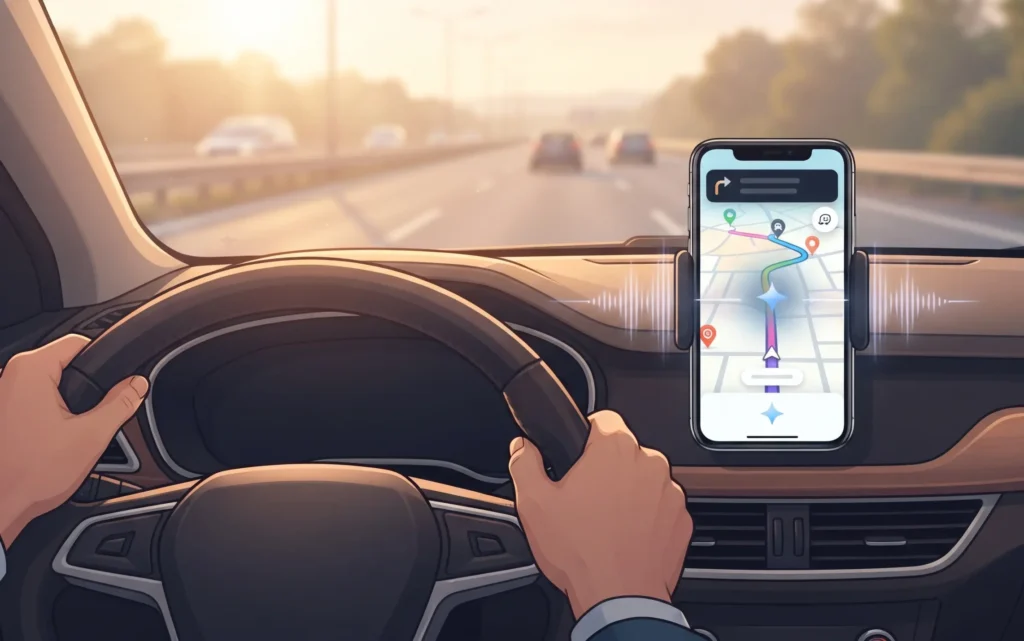

We’ve all been there. You’re driving, something happens on the road ahead, and you want to report it on Waze to help fellow drivers. But fumbling through menus while keeping your eyes on the road feels less like helpful citizenship and more like a distracted driving ticket waiting to happen.
Google clearly gets it. They’re now bringing Gemini, their flagship AI assistant, into Waze — and honestly, this might be one of the most practical uses of AI in a navigation app we’ve seen yet.
Instead of turning your map into a chatbot with a personality (please, no), Google is using Gemini to solve two very real driving problems: reporting what’s happening around you and finding where you want to go — all with your voice, using natural language. No memorized commands required.
Here’s what’s changing, why it matters for your daily drives, and how these updates might actually make your commute feel a little less chaotic.
What’s Actually Happening: Gemini Meets the Open Road
Waze announced four updates rolling out to the app, and two of them are powered by Gemini. Let’s break them down in plain English.
1. Conversational Incident Reporting (Finally)
Back in 2024, Waze introduced conversational reporting, but the new Gemini-powered version takes it further. You can now report road problems by speaking naturally. Think: “Hey, there’s a stalled car in the left lane just past the exit” instead of tapping through categories like “Hazard” > “Vehicle Stopped” > “Shoulder” while trying not to rear-end the car in front of you.
This also covers suggested map corrections. If a road is unexpectedly closed or a house number is flat-out wrong, you can report it with your voice. Gemini acts as the language layer, translating your messy, real-world sentences into the structured data Waze needs.
2. Destination Search That Gets Context
The second Gemini feature tackles finding places. You can ask for things like, “Find a coffee shop that’s open right now” or “Show me gas stations nearby with the lowest prices.” Instead of requiring a specific address or business name, Gemini interprets your intent and feeds it into Waze’s search and routing tools.
In practice, this means you can ask for what you actually want rather than what the app expects you to say. It’s a small shift in interaction that makes a big difference when you’re behind the wheel.
The Non-AI Updates That Might Matter Even More
Not every improvement needs artificial intelligence. Two of the four updates are good old-fashioned quality-of-life changes, and honestly, I’m just as excited about these.
Quieter Directions (Your Playlist Will Thank You)
Waze is adding a “less chatty” voice guidance setting. If you’re like me and know your regular route like the back of your hand, having the app announce every slight curve and upcoming intersection gets old fast. This setting trims the verbal fat so your music or podcast isn’t constantly interrupted by navigation narration you don’t need.
Simple? Yes. Long overdue? Absolutely.
Motorcycle Mode Arrives
Riders, this one’s for you. Waze is adding a dedicated Motorcycle Mode that accounts for shortcuts only two-wheeled vehicles can take and provides more accurate arrival times for bike routing. Instead of treating your motorcycle like a car with a leather jacket, the app will now recognize that you move through the world differently — and route you accordingly.
Smarter Route Ranking Based on Your Habits
A separate routing update will rank suggested routes using your personal driving history combined with Waze’s local traffic data. If you consistently prefer highways over surface streets, the app will start putting those routes higher in your list. It’s not flashy, but it’s the kind of personalization that makes an app feel like it’s actually paying attention to you.
Why This Matters: AI That Serves Drivers, Not Distracts Them
Here’s what I find genuinely refreshing about this update: Google is showing restraint. They could have stuffed a full conversational chatbot into Waze. They didn’t. They could have made Gemini an ever-present co-pilot that chimes in with unsolicited observations about your driving. They resisted.
Instead, Gemini is doing exactly what in-car AI should do — listening better and turning speech into app actions. It’s the difference between an assistant that helps you keep your eyes on the road and one that becomes another distraction.
The Verge notes that Google has been adding AI features much more aggressively to Google Maps than to Waze. That’s likely intentional. Waze’s core value has always been speed, crowd-sourced road intelligence, and efficient routing — not personality-driven interactions. Gemini here is a tool, not a companion. And that’s exactly right.
How You Can Use These Updates (When You Get Them)
These features are rolling out gradually, so you might not see them immediately. When they arrive, here’s how to make the most of them:
- Practice natural reporting. Instead of trying to remember menu categories, start describing what you see in plain language. The more conversational your reports, the better Gemini will handle them.
- Use destination search creatively. Try asking for places by vibe, price, or hours rather than just name. “Find me a diner open past midnight” should work better than ever.
- Turn on quieter guidance for familiar routes. If you’re commuting or driving somewhere you know well, the less chatty setting will preserve your sanity — and your audio experience.
- Motorcycle riders, switch your vehicle mode. Once available, make sure you’ve selected motorcycle mode to get routing that actually reflects how you ride.
The Bottom Line
AI in apps can feel gimmicky — slapped on because it’s trendy rather than because it helps. This Waze update isn’t that. By using Gemini to handle the messy job of understanding human speech and converting it into useful actions, Google is making it easier to use Waze the way it was always meant to be used: quickly, with minimal distraction, and while keeping your focus where it belongs.
The quieter navigation and motorcycle mode are just icing on the cake. Practical, thoughtful, and refreshingly un-hyped — these are the kinds of updates that make a daily driving companion better without trying to become the star of the show.
Now, if only AI could do something about the traffic itself. One thing at a time, I suppose.